

- Understanding Digital Templates: A Beginner’s Guide to Creative Assets
- Exploring Template Formats: Choosing the Right File Type for Your Project
- Leveraging Popular Design Software for Template Creation and Customization
- Mastering Canva: A Comprehensive Guide to Versatile Digital Templates
- Unlocking the Power of Figma: Advanced Template Design and Collaboration
- Finding and Evaluating Premium Digital Templates for Professional Results
- Customizing Templates: Adapting Designs to Your Brand and Project Needs
- Best Practices for Using Digital Templates: Ensuring Quality and Efficiency
- Frequently Asked Questions
Understanding Digital Templates: A Beginner’s Guide to Creative Assets
Digital templates have become indispensable tools in the modern creative landscape. For individuals and businesses alike, they offer a streamlined path to producing high-quality visual content without starting from scratch. These pre-designed layouts provide a foundational structure, saving valuable time and resources while ensuring a professional aesthetic. This section explores what digital templates are, their various types, benefits, and how beginners can effectively utilize them for their creative projects.
At their core, digital templates are pre-made files that serve as blueprints for various creative outputs. They encompass a range of designs, from social media graphics and presentations to website layouts and marketing materials. These templates typically include placeholders for text, images, and branding elements, allowing users to easily customize the design to fit their specific needs. Providers offer a vast selection, catering to diverse industries and design preferences.
One of the most prevalent types of digital templates are those designed for social media marketing. Platforms like Instagram, Facebook, and Pinterest thrive on visually appealing content. Templates for these platforms often include pre-sized graphics optimized for each network, ensuring they appear correctly without distortion. These templates can be used to create consistent branding across all social media channels and facilitate the creation of engaging posts, stories, and covers. A freelance social media manager, for example, might use a collection of templates to quickly generate a week’s worth of engaging content for a client, significantly reducing their workload.
Beyond social media, templates are widely used for presentations. Platforms like PowerPoint and Google Slides offer a plethora of professionally designed templates to enhance the visual appeal of business presentations, educational talks, and sales pitches. These templates often incorporate color schemes, font pairings, and layout structures that promote clarity and engagement. Using a template can help ensure a polished and cohesive presentation, even for those with limited design expertise. According to W3Techs data from October 2024, PowerPoint remains a dominant tool for presentations, highlighting the continuing need for effective presentation templates.
Web design also extensively utilizes templates, particularly through platforms like WordPress. WordPress themes offer pre-built layouts and functionalities that can be customized to create a website. These themes range from simple blog layouts to complex e-commerce stores. A freelance photographer using Astra theme, for instance, launched their portfolio site in under an hour, demonstrating the speed and efficiency templates provide. Even without coding knowledge, users can significantly reduce development time and achieve a professional-looking website.
The benefits of using digital templates are numerous. Firstly, they save time. Instead of designing from a blank canvas, users can focus on content and customization. Secondly, they reduce costs. Hiring a graphic designer for every piece of content can be expensive; templates offer a more affordable alternative. Thirdly, they ensure consistency. Templates promote brand consistency by providing a standardized design framework. Fourthly, they are accessible. A wealth of templates are available for purchase or free download, catering to various budgets and needs. Finally, templates democratize design, allowing individuals with limited graphic design skills to create professional-looking materials.
For beginners venturing into creative projects, selecting the right templates is crucial. When choosing a template, consider the following:
- Purpose: What type of content do you need the template for? Social media, presentation, website?
- Customization Options: How easily can you modify the template to fit your brand and content?
- File Format: Ensure the template is compatible with your preferred design software (e.g., Adobe Photoshop, Canva, PowerPoint).
- Quality: Look for high-resolution graphics and professional design.
- Licensing: Understand the terms of use and whether the template is for personal or commercial use.
Many online platforms offer a wide selection of digital templates. Canva is a popular choice for its user-friendly interface and extensive library of designs. Adobe Stock and Creative Market provide high-quality, professionally designed templates. Free options are also available on sites like Freepik and Pixeden, although these may have more limited customization options. Exploring these resources allows beginners to discover the vast possibilities templates offer. The ease of use and readily available options empower anyone to create impactful visuals, regardless of their design background.
Exploring Template Formats: Choosing the Right File Type for Your Project
Selecting the appropriate file format is a fundamental step in any creative project, significantly influencing workflow, compatibility, and final output quality. The digital landscape offers a diverse array of template formats, each with its own strengths and limitations. Understanding these differences empowers creators to make informed decisions, ultimately streamlining their processes and achieving optimal results. This section delves into several prevalent template formats, exploring their typical applications and key considerations for various creative endeavors.
One of the most widely utilized formats for static designs is JPEG (.jpg). Known for its efficient compression, JPEGs are ideal for photographs and images with complex color gradients. This compression, however, can result in a loss of image data, which might be noticeable in designs requiring sharp lines or subtle details. Consequently, JPEGs are generally not the preferred choice for logos, illustrations, or designs with text. Their widespread support ensures broad compatibility across web browsers and devices, making them a practical option for online use.
In contrast to JPEGs, PNG (.png) excels in retaining image quality. It utilizes lossless compression, meaning no data is lost during compression, resulting in sharper images and the ability to handle transparency. This makes PNGs particularly suitable for logos, icons, graphics with text, and designs requiring overlapping elements. The support for alpha channels allows for seamless integration with various backgrounds. However, PNG files are typically larger than JPEGs, which can impact website loading times if used extensively.
For vector graphics – designs composed of mathematical equations rather than pixels – SVG (.svg) is the go-to format. SVGs offer scalability without loss of quality, making them perfect for logos, illustrations, and icons that need to be displayed at various sizes. Because they are vector-based, SVGs remain crisp and clear whether viewed on a small mobile screen or a large print display. Furthermore, SVGs can often be easily edited using vector graphics software like Adobe Illustrator or Inkscape. According to W3Techs data from October 2024, SVG is used on 43.4% of websites, highlighting its prevalence in web design.
When it comes to document creation, Microsoft Word (.docx) remains a dominant choice. Its versatility allows for comprehensive document formatting, including text styling, image insertion, and layout adjustments. Word templates are readily available for various purposes, from resumes and letters to reports and brochures. The widespread adoption of the .docx format ensures compatibility across different operating systems and software. However, for designs requiring precise layout control and professional printing, Adobe InDesign (.indd) offers more advanced capabilities. InDesign excels in multi-page documents and provides sophisticated typography and image management tools.
For presentations, Microsoft PowerPoint (.pptx) is the industry standard. Its intuitive interface and extensive template library facilitate the creation of visually engaging presentations. PowerPoint templates offer pre-designed layouts, color schemes, and font combinations, saving users time and effort. Google Slides, another popular option, offers similar functionality with the added benefit of cloud-based collaboration.
Finally, PDF (.pdf) serves as a universal format for sharing documents that need to maintain their formatting across different platforms and devices. PDFs are often used for distributing contracts, reports, and any document where preserving the original layout is crucial. While PDFs can be edited, they are primarily designed for viewing and printing, ensuring consistency in presentation.
Choosing the right format often depends on the intended use of the template. A photographer might favor JPEG for online image sharing, while a graphic designer would likely opt for PNG or SVG depending on the image’s complexity and need for scalability. Understanding the characteristics of each file type empowers creators to make informed decisions that optimize their workflow and deliver high-quality results.
Leveraging Popular Design Software for Template Creation and Customization

The creation of effective digital templates is a cornerstone of any successful creative project, streamlining workflows and ensuring brand consistency. Fortunately, a wealth of powerful and user-friendly design software empowers individuals and businesses to craft professional templates for a wide array of purposes, from social media graphics and presentations to marketing materials and website layouts. Understanding the strengths of various platforms is key to selecting the right tool for specific needs.
Adobe Creative Cloud remains an industry standard, offering a comprehensive suite of applications. Adobe Photoshop excels in image manipulation and raster-based design, making it ideal for creating templates for social media posts, posters, and detailed graphics. Its robust tools allow for intricate editing and design elements. Adobe Illustrator is the go-to software for vector graphics, perfect for scalable logos, icons, and illustrations that maintain sharpness at any size. A freelance graphic designer, for example, might use Illustrator to create a library of customizable icons for various client projects, ensuring brand uniformity across different platforms. Adobe InDesign specializes in layout and page design, commonly used for creating templates for brochures, magazines, and reports. Its precise control over typography and layout makes it invaluable for print-ready templates.
However, Adobe Creative Cloud’s subscription-based model can be a barrier for some. This has led to the rise of compelling alternatives with varying pricing structures. Canva has rapidly gained popularity for its intuitive interface and extensive library of templates. It’s an excellent option for users with less design experience, offering drag-and-drop functionality and pre-designed elements for social media, presentations, and marketing collateral. A small business owner, for instance, can quickly create visually appealing Instagram posts using Canva’s pre-made templates, saving time and resources on design. While its customization options might not be as extensive as Adobe’s, Canva’s ease of use makes it a powerful tool for quick and efficient template creation.
Affinity Designer and Affinity Photo offer robust, one-time purchase alternatives to Adobe Illustrator and Photoshop, respectively. These professional-grade applications provide a comprehensive set of features without the recurring subscription fee. Affinity Designer is particularly strong for vector illustration and UI design, while Affinity Photo is a powerful tool for image editing and manipulation, competing directly with Photoshop. Many designers appreciate the cost-effectiveness and powerful capabilities of the Affinity suite.
For web design and UI/UX template creation, Figma has emerged as a leading platform. This cloud-based tool facilitates real-time collaboration and is widely adopted by design teams. Figma excels at creating interactive prototypes and UI kits, making it ideal for developing templates for websites, mobile applications, and software interfaces. According to industry reports, Figma’s collaborative features have significantly streamlined design workflows for many teams. Its ability to handle complex design systems and component libraries is a major advantage.
Furthermore, website builders like Squarespace and Wix offer built-in template libraries. These platforms provide a user-friendly way to create website templates without requiring extensive design knowledge. While customization options might be limited compared to dedicated design software, these templates offer a quick and easy starting point for individuals and small businesses. A blogger, for example, can choose from a variety of Squarespace templates and customize them with their own content and branding in a matter of hours.
The choice of design software ultimately depends on individual needs, budget, and technical expertise. Understanding the strengths of each platform allows creators to select the most suitable tool for generating impactful and professional digital templates. Whether prioritizing intricate visual design, ease of use, or collaborative workflows, a wealth of options exists to empower creative projects.
Mastering Canva: A Comprehensive Guide to Versatile Digital Templates
Canva has revolutionized the way individuals and businesses approach visual content creation. Its user-friendly interface and extensive library of templates empower users of all skill levels to produce professional-looking graphics for a wide array of purposes. This section delves into the world of Canva templates, exploring their versatility and how to effectively utilize them for various creative projects.
At its core, Canva offers a vast collection of pre-designed templates, categorized by project type. From social media posts and presentations to posters and video projects, users can find a starting point that aligns with their specific needs. This saves considerable time and effort compared to designing from a blank canvas. For instance, a small marketing team can quickly create a series of visually consistent Instagram posts using a pre-made template, ensuring brand identity across their social media channels. This streamlined process is a significant advantage for those with limited design expertise or tight deadlines.
The platform’s template library is constantly updated, reflecting current design trends and popular formats. Users can filter templates by theme, style, and even color to refine their search. This ensures they can find a template that not only fits their project’s aesthetic but also resonates with their target audience. Canva also provides customizable elements within each template, allowing for personalization with unique text, images, and branding. A freelance graphic designer, for example, might choose a template for a client’s flyer and then easily swap out the stock images for the client’s product photos and adjust the color scheme to match their brand guidelines.
Beyond individual templates, Canva offers template folders and design systems, further enhancing efficiency and brand consistency. These allow users to group related templates together and save their brand assets – logos, fonts, and color palettes – for easy access. This is particularly valuable for teams working on multiple projects or for businesses looking to maintain a cohesive visual identity. Consider a non-profit organization needing to create various promotional materials. They can create a design system with their logo, colors, and fonts and then utilize this system across different templates for flyers, social media graphics, and presentation slides.
Key Benefits of Using Canva Templates:
- Saves Time: Provides a ready-made foundation for designs.
- Enhances Design Skills: Offers inspiration and demonstrates design principles.
- Ensures Consistency: Facilitates brand identity across multiple projects.
- Accessible for All Skill Levels: Requires no prior design experience.
- Cost-Effective: Offers a wide range of free and paid templates.
To maximize the potential of Canva templates, users should not simply use them as is. The true power lies in customization. Experimenting with different fonts, colors, and layouts can transform a generic template into a unique and impactful design. Furthermore, understanding basic design principles, such as the rule of thirds and visual hierarchy, can help users make more informed customization choices. A user creating a presentation might start with a template layout and then adjust the slide elements and add their specific data visualizations to create a compelling narrative.
The versatility extends beyond traditional graphic design. Canva also provides templates for video editing, allowing users to create short promotional videos, social media clips, and educational content. These video templates often include animated elements and customizable music tracks, making video creation accessible even to those without video editing experience. A small business owner could leverage a Canva video template to quickly create a promotional video showcasing their products or services for their website and social media.
Unlocking the Power of Figma: Advanced Template Design and Collaboration

Figma has rapidly become the industry-leading collaborative interface design tool. While its intuitive interface is accessible to beginners, its true power lies in its advanced capabilities for template design and team collaboration. Moving beyond basic UI elements, designers can leverage Figma’s features to create sophisticated, reusable templates that streamline workflows and ensure brand consistency. This section delves into how to master Figma’s advanced tools for creating impactful templates and fostering seamless teamwork.
Advanced Template Design Techniques
Creating effective templates is about more than just arranging elements. It’s about building a foundation for consistent design and efficient prototyping. Here are several techniques to elevate your Figma templates:
- Component Variants for Flexibility: Figma’s component variants are essential for creating adaptable templates. Instead of duplicating components for different states (e.g., hover, active, disabled), use variants. This allows for easy modification of elements without breaking the template’s structure. For instance, a button component can have variants for different sizes and states, ensuring responsiveness and visual consistency. The use of variants directly supports responsive design principles, essential for modern web and app interfaces.
- Interactive Components for Prototyping: Transform static templates into interactive prototypes with Figma’s prototyping tools. Define interactions between components – such as navigation flows, form submissions, and animations – directly within the template. This allows stakeholders to experience the intended user journey and provides a clearer understanding of the final product. This greatly enhances the design review process and reduces development rework.
- Auto Layout for Dynamic Resizing: Auto Layout is a cornerstone of responsive design in Figma. It allows elements within a frame to automatically adjust their layout based on content changes. By utilizing Auto Layout, designers can create templates that adapt seamlessly to different screen sizes and content volumes. This is particularly useful for templates involving lists, cards, or navigation bars. According to industry best practices, responsive design is paramount for delivering optimal user experiences across various devices.
Fostering Collaboration within Figma
Figma’s real strength lies in its collaboration features. These features enable smooth teamwork and version control, preventing design chaos.
- Design Systems for Scalability: Develop a comprehensive design system within Figma, housing all reusable components, styles, and guidelines. This centralized repository ensures that everyone on the team is working with the same standards, preserving brand integrity. A well-documented design system promotes consistency and efficiency across all projects.
- Version History and Collaboration Features: Figma’s robust version history allows designers to track changes, revert to previous versions, and understand the evolution of a template. Real-time collaboration features enable multiple team members to work on the same template simultaneously, facilitating quick iteration and feedback loops. This collaborative aspect has been a key factor in Figma’s widespread adoption, especially in remote work environments.
- Commenting and Feedback: Integrated commenting allows for direct feedback on specific elements within the template. Team members can leave notes, ask questions, and suggest improvements, all within the design file. This creates a transparent and efficient feedback process, helping to refine the template iteratively.
Real-World Application: Launching a Consistent Brand Style Guide
Consider a marketing agency tasked with creating a brand style guide template for multiple clients. Previously, each style guide was created from scratch, leading to inconsistencies and wasted time. By leveraging Figma’s advanced features, the agency developed a master style guide template. This template included:
- A comprehensive library of reusable components (buttons, typography styles, color palettes).
- Interactive examples demonstrating proper usage of the style guide.
- A detailed documentation section outlining branding guidelines.
This approach not only saved the agency significant time but also ensured that all client style guides adhered to the same brand standards. A freelance photographer, for example, using a well-structured Figma template for their website design, launched their portfolio in under an hour, significantly reducing their initial setup time.
Figma empowers designers to move beyond basic UI creation and build powerful, collaborative templates. By mastering these advanced techniques, teams can achieve greater efficiency, consistency, and ultimately, better design outcomes. The platform’s continuous development means new features and capabilities are regularly introduced, further solidifying its position as the go-to tool for interface design and collaborative template development.
Finding and Evaluating Premium Digital Templates for Professional Results
The digital landscape demands visually compelling and effectively structured content. Whether crafting marketing materials, presentations, social media graphics, or website elements, utilizing high-quality templates can significantly streamline the creative process and elevate the final product. Premium digital templates offer a wealth of pre-designed layouts, graphics, and fonts, saving creators valuable time and ensuring a professional aesthetic. However, with a vast marketplace of options available, discerning the best templates requires careful consideration of several factors.
One key aspect of finding premium templates is understanding your specific project needs. Consider the purpose of the content – is it for a formal business report, an engaging social media campaign, or a visually rich presentation? Different templates cater to different objectives. For instance, a sleek, minimalist template might be ideal for a corporate presentation, while a vibrant, image-focused template is better suited for marketing social media posts. Defining the intended use early on will narrow the search and prevent overwhelming choices.
Once you have a clear idea of your requirements, the next step involves exploring reputable sources for premium templates. Numerous online marketplaces offer a diverse selection, including Creative Market, Envato Elements, and GraphicRiver. These platforms host templates created by independent designers and agencies, often offering a wide range of styles and price points. Some companies also offer template libraries as part of their software subscriptions. For example, Adobe Stock provides a vast collection of professionally designed templates that integrate seamlessly with Adobe Creative Cloud applications.
Evaluating the quality of a template involves examining several crucial elements. First, assess the design itself. Does it align with your brand identity and the overall tone of your project? Look for templates with clean layouts, high-resolution graphics, and thoughtful typography. Pay attention to the visual hierarchy – is the information presented in a clear and organized manner? A well-designed template enhances readability and viewer engagement.
Beyond aesthetics, functionality and customization options are paramount. A good premium template should be easily adaptable to your specific content. Check if the text elements are easily editable, and if the graphic elements can be modified without compromising the overall design. Compatibility with popular software like Adobe Photoshop, Illustrator, and Microsoft PowerPoint is also essential. Many premium templates are available in multiple file formats, offering flexibility in how you utilize them.
Consider the licensing terms associated with the template. Most premium templates come with commercial licenses, allowing you to use them for business purposes. However, it’s crucial to understand the specific restrictions – for example, whether there are limitations on the number of printed copies or the types of products you can use the template on. Reviewing the licensing agreement ensures you’re using the template legally and appropriately.
Furthermore, it’s beneficial to read user reviews and ratings before making a purchase. These can provide valuable insights into the template’s usability, quality, and the designer’s support. Look for feedback on how easy the template is to customize and whether the designer is responsive to inquiries. A positive track record from other users often indicates a reliable and high-quality product.
A practical example of the impact of using premium templates can be seen in the growth of many small businesses. A freelance marketing consultant, for instance, consistently uses templates from platforms like Creative Market for client presentations and social media graphics. By leveraging these professionally designed assets, she can deliver polished, impactful visuals to her clients in a fraction of the time it would take to create them from scratch, leading to increased client satisfaction and business growth.
Finally, while premium templates offer a significant advantage, they are not a substitute for understanding basic design principles. Knowing how to effectively utilize color palettes, typography, and layout will allow you to maximize the potential of your chosen template and create truly professional results. Premium templates are a powerful tool, but their effectiveness is amplified when combined with a foundational understanding of design.
Customizing Templates: Adapting Designs to Your Brand and Project Needs
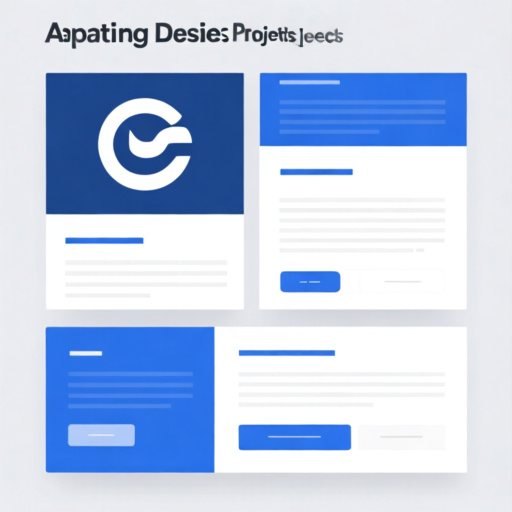
Digital templates offer a fantastic starting point for creative projects, but rarely do they perfectly match a specific brand or project brief. The true power of these templates lies in their adaptability. Customization allows users to infuse their unique identity and tailor the design to meet specific requirements, moving beyond a generic look to a polished, professional finish. This section explores how to effectively modify templates to align with brand guidelines and optimize them for diverse project goals.
The process of customizing a template involves several key areas. First, consider the core elements: color palettes, typography, imagery, and layout. A successful customization strategy begins with a clear understanding of the brand’s visual identity – its colors, fonts, and overall aesthetic. For example, a brand known for its vibrant, playful image will require a different approach than a company emphasizing sophistication and minimalism.
One crucial aspect is adjusting the color scheme. Most templates utilize a default color palette. Replacing these with a brand-specific palette – often established in a brand style guide – ensures visual consistency. Tools like Adobe Color or Coolors can assist in creating or refining a palette that adheres to brand guidelines. Ensure color choices consider accessibility, particularly contrast ratios for readability.
Typography plays an equally important role. Templates frequently use standard web fonts. Substituting these with preferred brand fonts establishes a distinct visual voice. Consider the font’s readability across different devices and screen sizes. Proper font pairings—combining a heading font with a body font—further enhance visual appeal and hierarchy.
The imagery within a template is another area ripe for customization. Frequently, templates include placeholder images. Replacing these with original photographs that resonate with the brand and project message creates a much more impactful visual. High-quality, relevant imagery is key to capturing audience attention. Stock photo sites can be useful, but original photography often provides a competitive edge. Consider the licensing terms of any images used.
Beyond visual elements, consider the structural layout. Templates offer various pre-designed layouts for different content types. However, these layouts may need adjustments to accommodate specific project requirements. This could involve repositioning elements, adding or removing sections, or modifying the overall flow of information. A freelance photographer using an Astra theme, for instance, might adjust the portfolio layout to prioritize specific categories of work or highlight recent projects. This flexibility allows for a personalized presentation far beyond the initial template design.
To implement these customizations effectively, most templates utilize user-friendly editing interfaces. Tools like Canva, Adobe Spark, and even the built-in editors of website platforms like WordPress offer intuitive ways to modify elements. Understanding the basic principles of design—such as balance, contrast, and hierarchy—helps ensure that customizations are visually appealing and effective.
Furthermore, understanding the technical aspects of the template’s structure is beneficial. While full-scale coding modifications are often unnecessary for basic branding, familiarity with HTML and CSS can empower users to make more advanced changes. For instance, adjusting CSS to fine-tune spacing or element alignment can significantly enhance the overall design.
Real-world scenario: A small marketing agency needed a website template for a new client, a sustainable fashion brand. The initial template had a generic, corporate feel. By swapping out the default color scheme for earthy tones, using a more handwritten-style font, and replacing stock images with photographs of models wearing the brand’s clothing in natural settings, the agency transformed the template into a design that perfectly reflected the brand’s values and target audience. This resulted in a website that resonated with potential customers and effectively communicated the brand’s unique identity.
Careful consideration of target audience is paramount when customizing a template. The design should appeal to the intended demographic. This influences everything from color choices to the tone of voice used in text. A template designed for a younger audience will likely have a different aesthetic than one intended for a more mature demographic. The key is to align the design with the values and preferences of the target market.
In conclusion, customizing digital templates is not merely about aesthetics. It’s about effectively communicating a brand’s message and optimizing a design for a specific project. By strategically adjusting colors, typography, imagery, and layout, users can transform a generic template into a compelling, brand-aligned creation. This process empowers creators to achieve a professional, polished result while saving time and resources.
Best Practices for Using Digital Templates: Ensuring Quality and Efficiency
Digital templates are invaluable tools for creative projects, streamlining workflows and maintaining consistency. However, simply using a template isn’t enough to guarantee high-quality results and optimal efficiency. Adopting best practices throughout the template lifecycle is crucial. This section outlines key strategies for leveraging digital templates effectively.
Planning and Template Selection
Before diving into a template, careful planning is essential. Consider the project’s specific requirements and the purpose of the template. What information needs to be included? What aesthetic are you aiming for? Aligning the template with the project goals from the outset prevents wasted time and rework. Selecting the right template is equally important. Numerous options exist, ranging from basic layouts to highly customizable designs. Evaluate templates based on several factors:
- Functionality: Does the template offer the necessary features and flexibility for your project?
- Scalability: Can the template accommodate future growth or changes in content?
- Customization: How easily can you adapt the template to match your brand identity?
- Quality: Is the template well-designed and free of errors?
- Source: Is the template from a reputable provider?
For instance, a freelance graphic designer might choose a template with pre-designed color palettes and typography that align with their established brand. This saves time on initial design choices and ensures a cohesive visual identity across projects. A small marketing team creating social media graphics can benefit from templates that adhere to specific brand guidelines, ensuring consistent messaging. Choosing a template that integrates well with existing software, such as Adobe Creative Suite or Canva, also enhances efficiency.
Customization and Content Integration
Once a template is selected, effective customization is key to achieving the desired outcome. Avoid simply filling in the blanks; instead, adapt the template to fit the unique needs of each project. This involves modifying elements such as text, images, colors, and layouts. Maintaining brand consistency during customization is paramount. This includes adhering to brand guidelines regarding logos, fonts, and color palettes.
Strong content integration is another critical aspect. Ensure the content is well-written, engaging, and relevant to the target audience. For example, a blog post template should facilitate clear headings, subheadings, and bullet points for improved readability. Incorporating relevant keywords naturally within the content can also benefit search engine optimization, a crucial factor in organic reach. A business using a presentation template, like those available on platforms like Slidesgo, can tailor the slides with their specific data and messaging, ensuring a professional and impactful presentation.
Ensuring Quality and Consistency
Quality control is an ongoing process. Regularly review customized templates to ensure accuracy, consistency, and adherence to brand standards. This might involve a quick visual check or a more thorough review by a colleague. Implementing a template library with version control helps manage updates and prevent the use of outdated versions.
Tools like version history in cloud-based platforms (e.g., Google Workspace, Adobe Creative Cloud) are invaluable for tracking changes and reverting to previous iterations if needed. Regularly updating templates to reflect current design trends and best practices also contributes to maintaining a high level of quality. According to W3Techs data from October 2024, websites that regularly update their design elements tend to have higher user engagement.
Efficiency through Template Libraries and Standardization
Creating and maintaining a well-organized template library significantly boosts efficiency. Categorizing templates by project type, department, or use case makes them easily accessible. Documenting template usage guidelines ensures that everyone in the team is using them correctly. This reduces the time spent searching for templates and minimizes inconsistencies in output.
A real-world scenario illustrates this point: a marketing agency experienced significant delays in creating client reports due to inconsistent formatting. By developing standardized report templates with pre-defined sections and data fields, they reduced report creation time by 40% and improved overall quality. This demonstrates the tangible benefits of a structured template system.
Ongoing Maintenance and Review
Digital templates are not static; they require ongoing maintenance. As design trends evolve, templates may need updating. Software updates can also affect template functionality. Regularly reviewing templates for usability and effectiveness ensures they continue to meet project needs. Gathering feedback from users can provide valuable insights for improvement. This iterative process of refinement ensures that templates remain a valuable asset for creative projects, fostering both quality and efficiency.
Frequently Asked Questions
- What are digital templates?Digital templates are pre-made design files that serve as blueprints for creating various visual content, like social media graphics, presentations, and website layouts.
- What are the benefits of using digital templates?Digital templates save time and resources by providing a pre-designed structure, ensure a professional aesthetic, and allow for easy customization with your own text, images, and branding.
- What types of digital templates are available?Numerous types of templates exist, catering to various purposes. Common examples include social media templates, presentation templates, website themes, and marketing material templates.
🔗 Related Articles from The Template Judge
Here are some helpful guides and popular posts from The Template Judge that go well with this topic and boost your internal linking (good for SEO and user engagement):
Nobody Shows This Part of Dividend Investing
https://thetemplatejudge.com/nobody-shows-this-part-of-dividend-investing/
How to Get Google AdSense Approved in 2025 (WordPress Themes & Plugins That Work)
https://thetemplatejudge.com/how-to-get-google-adsense-approved-in-2025/
How Much Can You Make With AdSense on WordPress? (2026 Breakdown)
https://thetemplatejudge.com/how-much-can-you-make-with-adsense-on-wordpress-2026-breakdown/
WordPress Tool Website Tutorial (Beginner Friendly)
https://thetemplatejudge.com/wordpress-tool-website-tutorial-beginner-friendly/
The BEST Website Design in WordPress (Real Examples)
https://thetemplatejudge.com/the-best-website-design-in-wordpress-real-examples/
Portfolio Website Design Ideas — Templates That Actually Convert
https://thetemplatejudge.com/portfolio-website-design-ideas-templates-that-actually-convert/
🌐 Helpful External Resources
- Investopedia — Delayed Gratification
https://www.investopedia.com/terms/d/delayed-gratification.asp - Behavioural Economics — Habits & Decision Making
https://www.behaviouraleconomics.com/resources/mini-encyclopedia/habits/ - MoneyHelper UK — Budgeting & Financial Discipline
https://www.moneyhelper.org.uk/